Design
Speakers into zones, zones onto real channels.
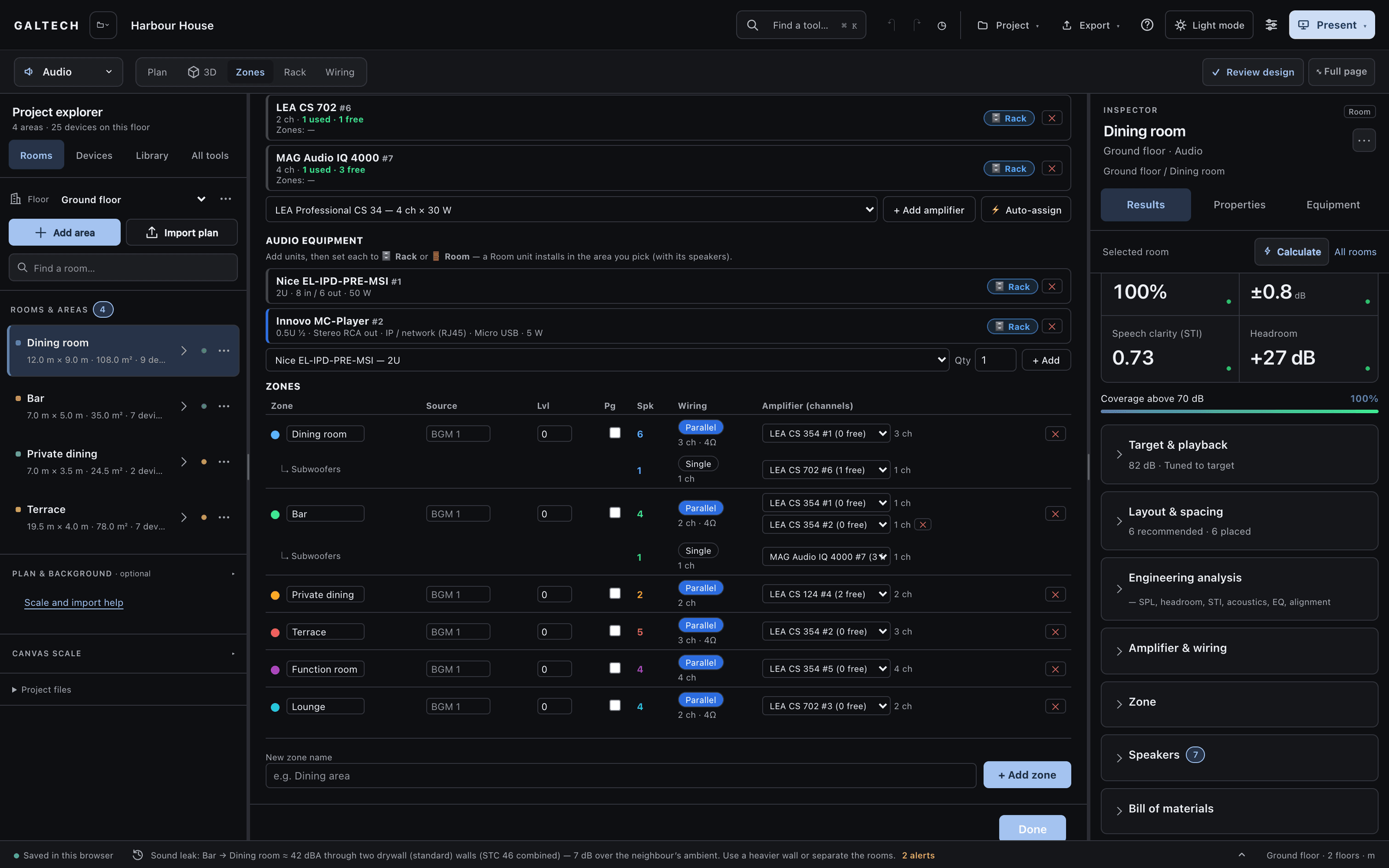
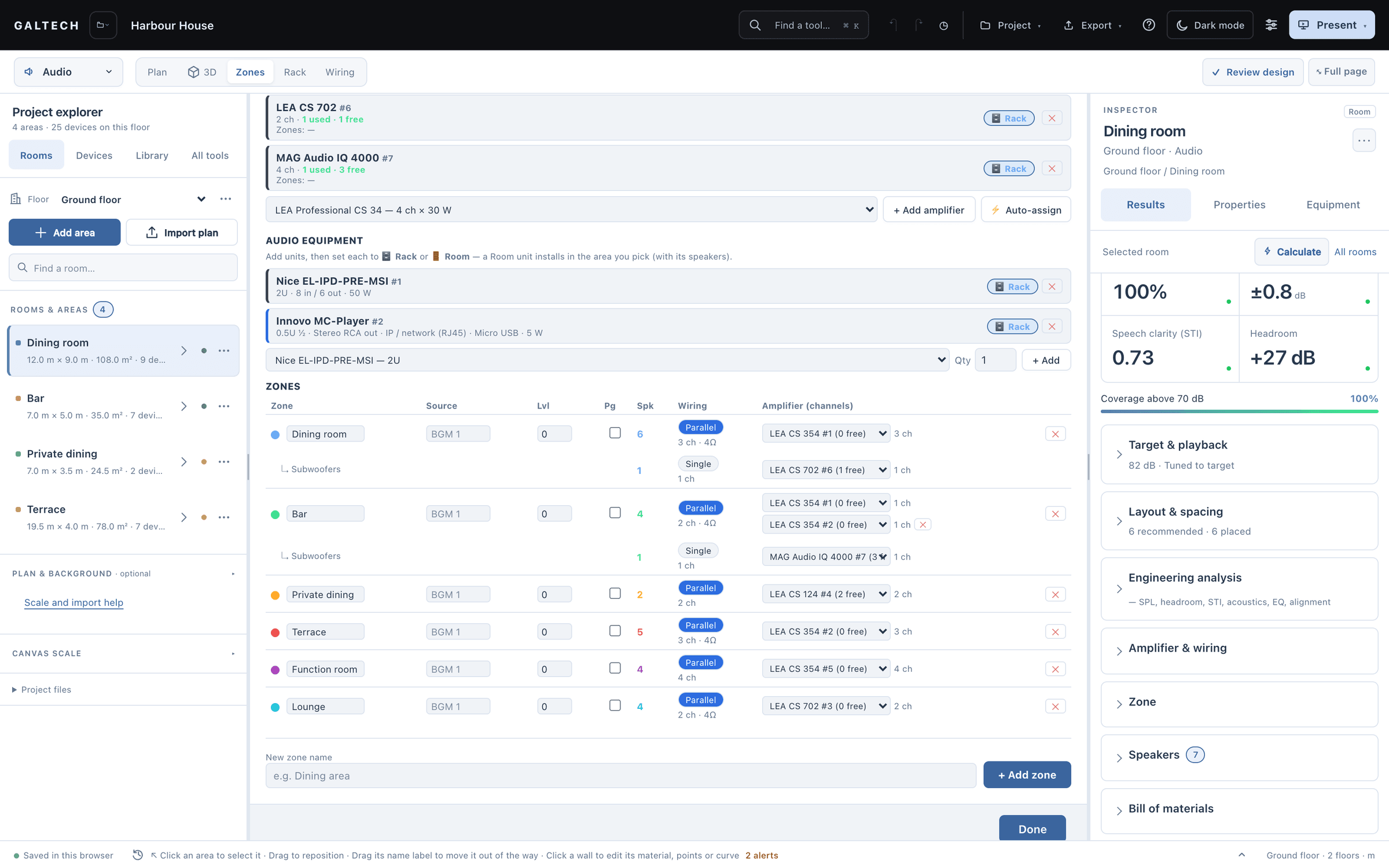
Speakers grouped into zones and wired to real amplifier channels. Every area starts as its own zone. Group them onto a source, choose single or parallel wiring, and let auto-assign find the channels.
zones
Every area is a zone, until you group them.
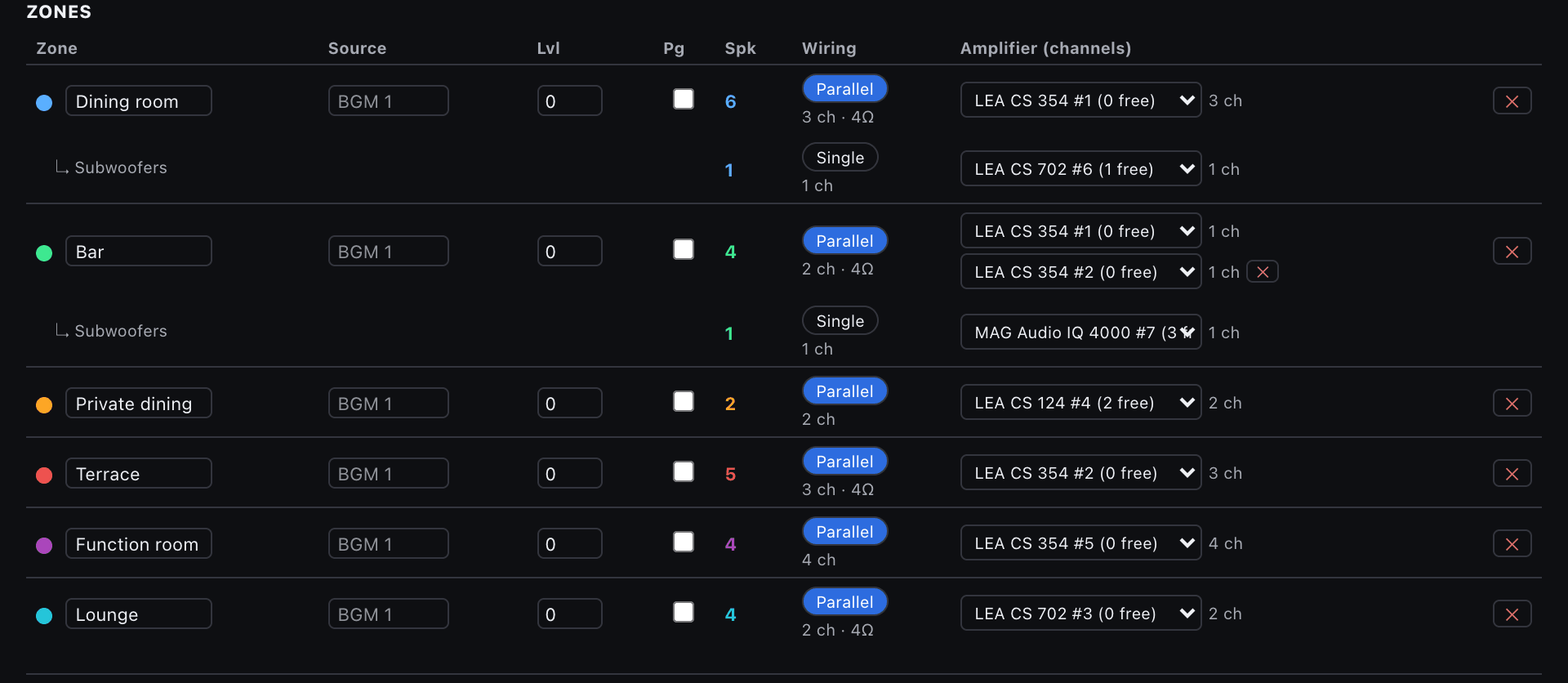
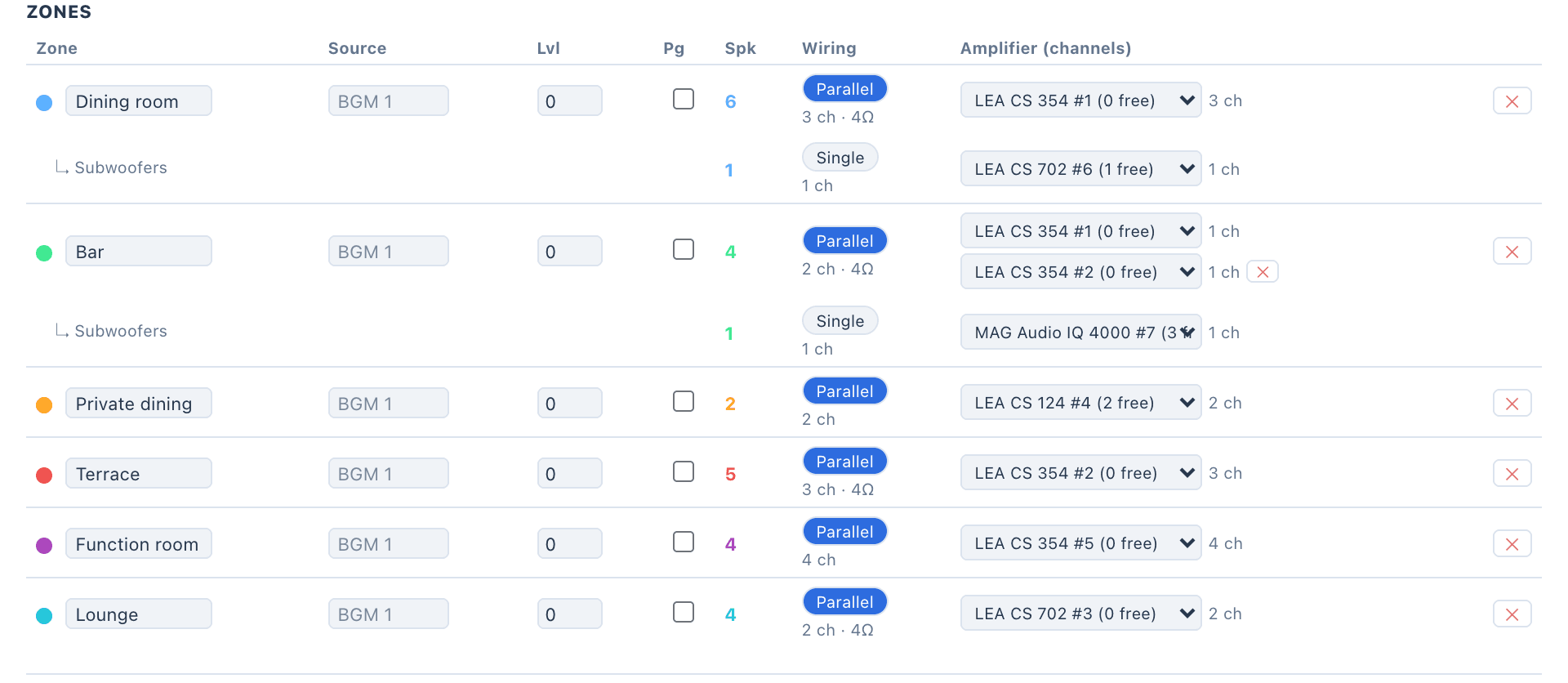
Every area becomes its own zone automatically, named after the area, with its speakers assigned. Open Zones to see them, set each zone’s amplifier unit and choose Single or Parallel wiring.
Add your own zones to put several areas on one source: pick the zone in the area card, or Shift-select speakers and use Assign to Zone. A manual assignment overrides the automatic one, and a coloured chip on each speaker shows its zone.
Each zone has a source and a level in dB. The level is a real offset: a zone run hotter or quieter moves the predicted level, the headroom and the standards check of every speaker in it. Flag a zone for paging and it shows in the proposal.
how it works
Zones, amplifiers, then each area’s wiring.
Written from the tool’s reference cards for zones and amplifiers.
Open Zones
Every area is already a zone with its speakers. Group areas onto one source if they share programme, and set each zone’s source and level.
Assign amplifiers
Add amplifier units, choose Single or Parallel per zone, and press Auto-assign for a starting point. Check the used and free channels on each unit.
Check each area
In the area’s Amplifier and wiring, choose low impedance, 70 V or 100 V, review the cable gauge, and read the headroom against the target on the area card.
Lesson 03 · 9:38Zones, rack, wiring, reports and handover
The whole lessonchannels
Channels used, channels free.
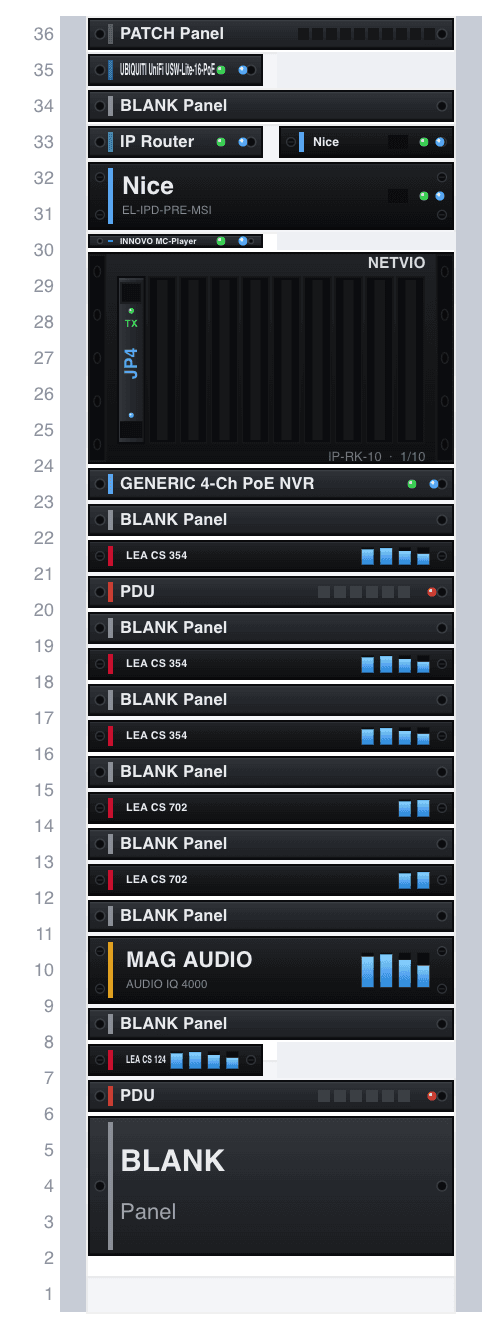
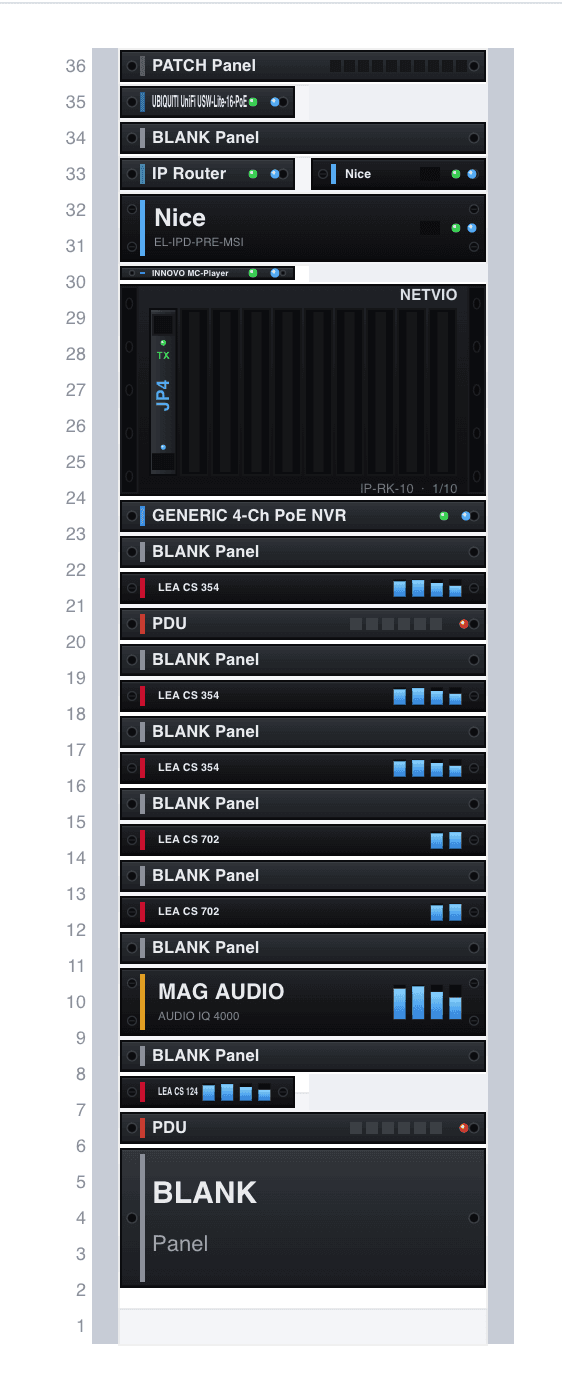
Add amplifier units in Zones and assign each zone to one. Single gives each speaker its own channel; Parallel puts two 8 Ω speakers on a 4 Ω channel, so four speakers take four channels single or two parallel. Every unit shows its used and free channels, so spare channels can serve another zone.
A zone can span amplifiers. Five speakers on a four-channel unit take four channels there, and the zone shows one channel unpowered with a picker for another unit. Until you add it, that speaker gets no power, and the heatmap and the verdict say so. Auto-assign fills units as a starting point and splits a zone when no single unit has the channels.
Mains and subwoofers are amplified separately. Some speakers carry a recommended amplifier: Flat Panel Audio panels pair with the LEA CS 354 to 1504 range, and Mag Audio speakers always with a Mag Audio amplifier.
The level follows the amplifier
An underpowered unit lowers the heatmap and the results, so you see it fall short of the target. A capable one reaches the speaker’s full rated output, and never more.
70/100 V
Low impedance or a 70/100 V line.
Dual-voltage models run at 8 Ω or on a 70 V or 100 V line. Press 70V or 100V in the area’s Amplifier and wiring and every main speaker rides the line, while a subwoofer stays on its own 8 Ω channel. For one speaker, choose its Connection in Speaker Properties; it overrides the area.
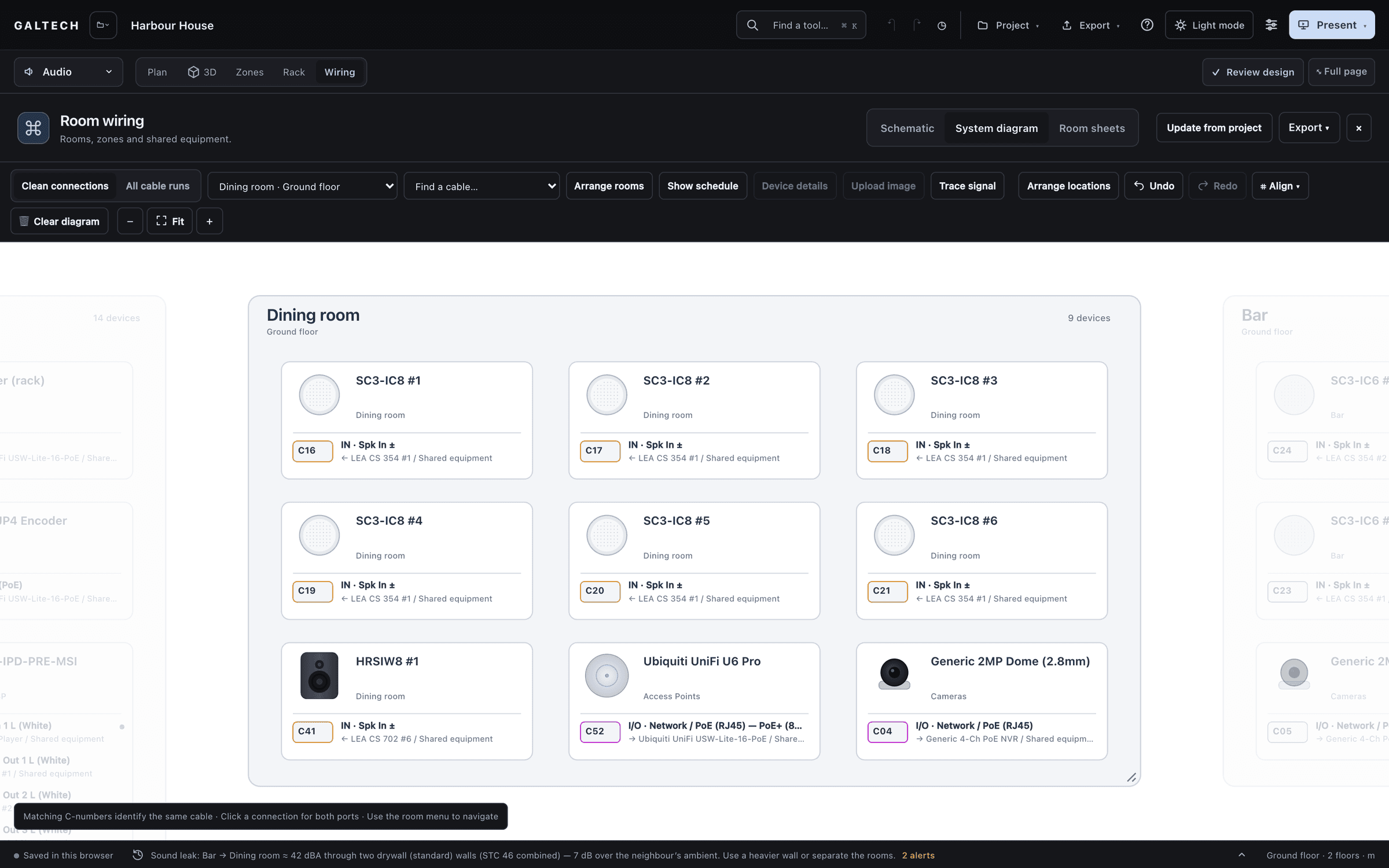
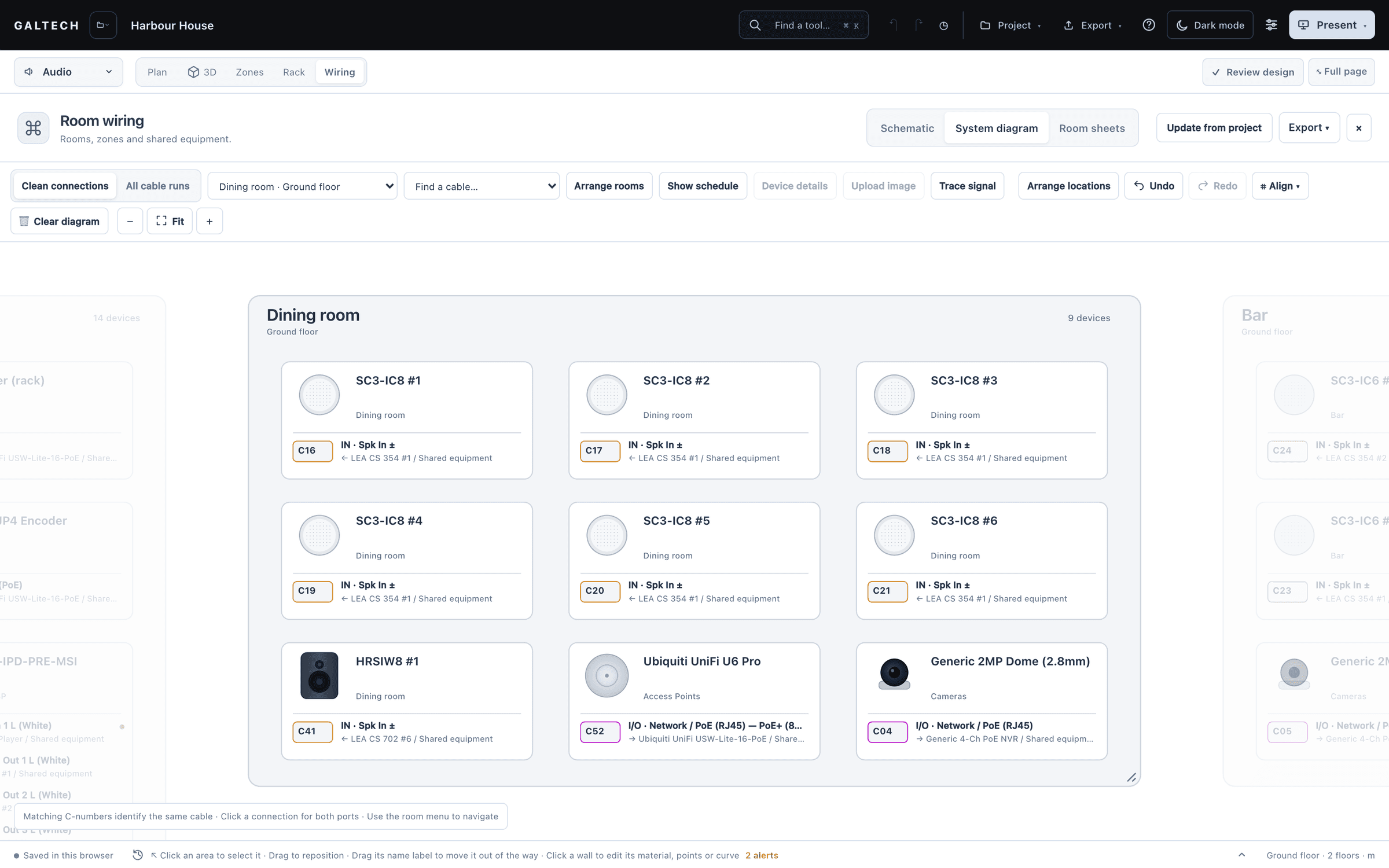
On a line, power is capped at the speaker’s largest tap and the level adapts. Auto-assign offers only amplifiers with a line output and keeps the 80% channel rule. In the wiring diagram, line speakers get a Line In and a Loop Out, so you daisy-chain them the way they are wired on site.
| Residential background music | 16 to 12 AWGRound trip at 7% of the channel impedance or less, about 0.3 dB; 16 AWG covers typical runs up to about 21 m at 8 Ω |
|---|---|
| Professional runs | 12 to 8 AWGA Mag Audio amplifier or speaker, or any subwoofer, at 5% or less |
| 70 V and 100 V lines | Sized to 10% voltage drop or less |
into the paperwork
Added to the study as you go.
The amplifier units you place go straight into the proposal, the bill of materials and the cable schedule, one line per unit, summed by model. Each area card and the amplifier plan show the unit serving that zone and the channels it uses.
Power and heat are worked out at typical and heavy programme levels, not from the nameplate.
For dealers
In the dealer portal, the amplifier library and zones design are part of Premium. The trial and Professional include them.
in figures
Zones and amplifiers, in figures.
- amplifiers in the catalogue
- 34
- line systems with taps
- 70/100 V
- wiring modes: Single and Parallel
- 2
- zones in the demo, from the dining room to the lounge
- 6
questions
Questions, answered plainly.
What happens when a zone has more speakers than channels?
The zone spans another unit. It shows the unpowered channels with a picker; choose a unit with free channels or a new one of the same model. Until then the unpowered speaker gets no level, and the heatmap and the verdict say so.
Can 70 V satellites and an 8 Ω subwoofer share a zone?
Yes. The mains share one line channel and the subwoofer sizes its own low-impedance channel, in Amplifier and wiring and in Zones.
Ready when the client is.
Draw it, check it, show it, price it and hand it over, from one project.
15-day trial for approved companies. No card, nothing to cancel.