Skip to content

For dealers

Design it, price it, order it.

The design tools are already in your dealer portal. Draw the job with the brands in the catalogue, price it at your dealer prices and send the bill of materials to your cart, without retyping a model number.

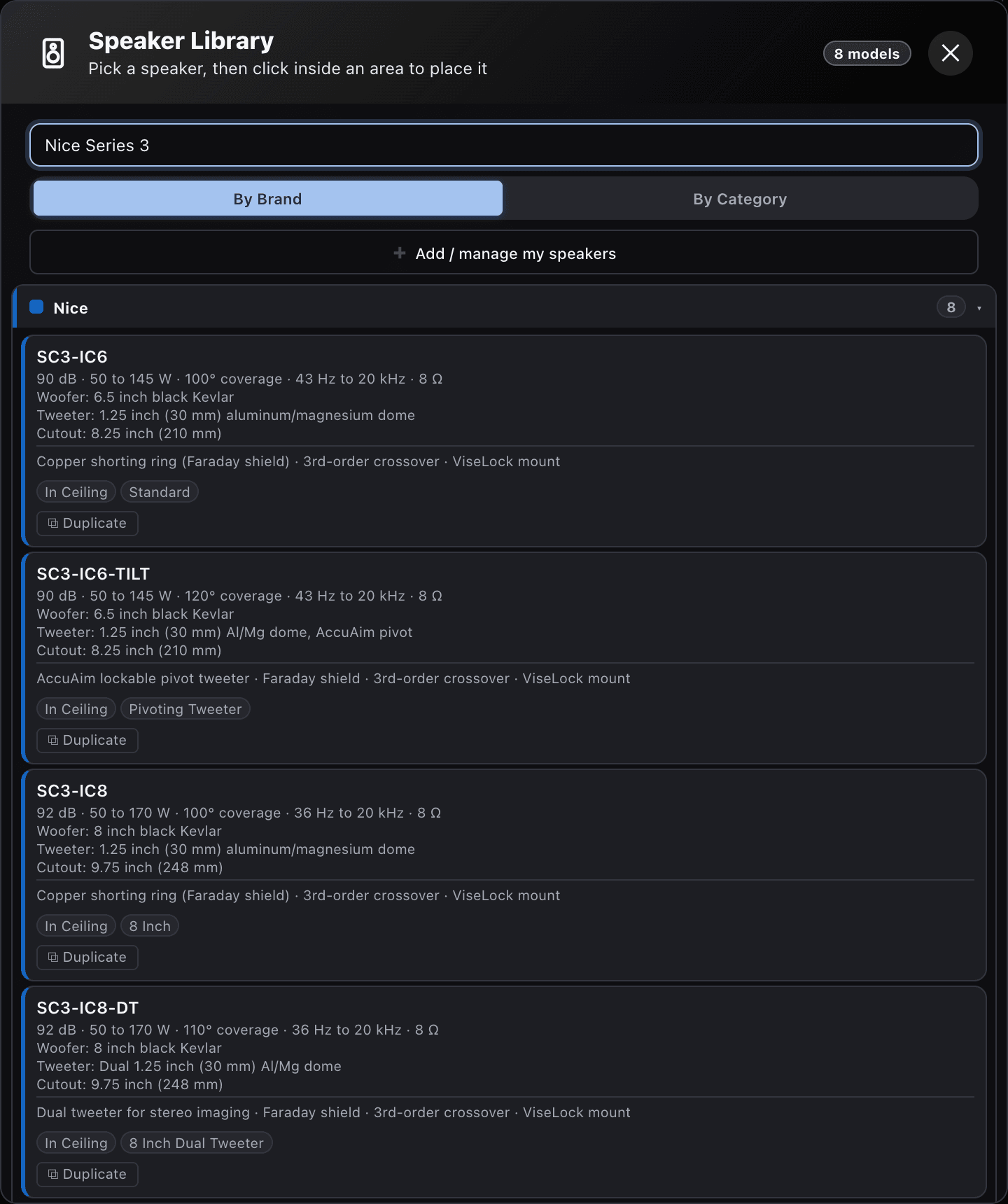
The Speaker Library in the dark theme listing Nice Series 3 in-ceiling models, SC3-IC6, SC3-IC6-TILT, SC3-IC8 and SC3-IC8-DT, each with sensitivity, power handling, coverage angle, frequency range, drivers and cutout.
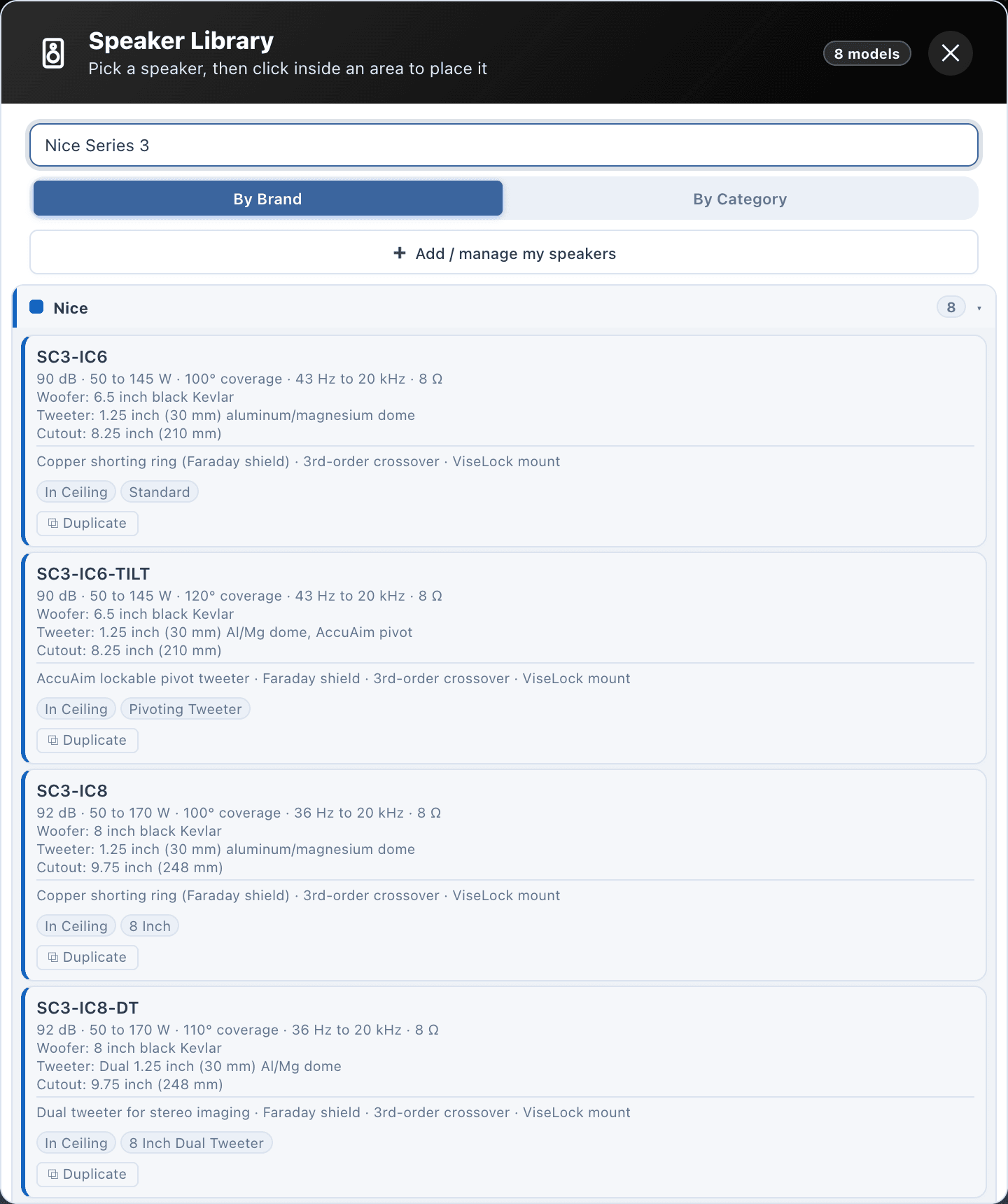
Speaker Library listing Nice Series 3 in-ceiling models, SC3-IC6, SC3-IC6-TILT, SC3-IC8 and SC3-IC8-DT, each with sensitivity, power handling, coverage angle, frequency range, drivers and cutout.
The Speaker Library: Nice Series 3 in-ceiling models with their specifications.

the job

A quote that takes days gives the client time to shop it.

Design and quote residential and commercial systems with the brands in the catalogue, then order them. The tool keeps all three in one project.

Where the time goes

  • Quoting takes days, and every model number is typed again for the quote and again for the order.
  • The client cannot hear the system before buying, so they buy on your word or shop your price.
  • A layout shows where the speakers go, not whether the room will be loud enough.

What changes

  • The catalogue holds the brands you sell, with sensitivity, power, coverage and cutout on every card.
  • Predicted level and coverage update while you place, so the layout is checked before it is priced.
  • Share 3D puts each room on the client’s phone: they walk it and hear the level change.
  • Order online turns the bill of materials into a cart at your dealer prices.

your day in the tool, 06

From the portal to the order, in one project.

  1. Sign in

    Open the tools from your portal

    Shop → Tools in the dealer portal, with no separate account. Your company name and contact fill every report and the client 3D from your login.

  2. Draw

    Start from the plan or a template

    Import the architect’s PDF, DWG, DXF or image and set the scale, or open the villa, restaurant, retail or office template, already laid out and calculated.

  3. Design

    Place what you sell

    Speakers, amplifiers, rack gear, access points, cameras and recorders come from one library. The heatmap and the results follow every move.

  4. Present

    Let the client hear it

    Share 3D gives an area a QR code. The client opens a walk-in tour on their phone, with your logo on the welcome screen, and hears the level change as they move.

  5. Price

    Price it at your dealer pricesPremium

    Match the equipment against the catalogue, then pull catalogue prices into the client proposal. A line without a price prints On request.

  6. Order

    Send the bill of materials to your cart

    Order online matches every line by SKU or model code and adds it to your portal cart. Review the quantities and submit: the portal prices the order again and gives it a DP order reference.

brands in the catalogue

The brands you sell, already in the library.

Models shown in the tool for each brand in the catalogue. Other makers’ access points, cameras and recorders are in the catalogue too.

Models in the catalogue for each brand in the catalogue, per library
BrandSpeakersAmplifiersRack and gearCamerasModels
Garvan Acoustic5900059
Nice32351050
Mag Audio3260038
LEA Professional0240024
Netvio0022022
Cornered Audio1000010
Krix90009
Stealth Acoustics70007
Pulse-Eight01607
Flat Panel Audio40004
Innovo00404
ELAN00303
12 brands153344010237
  • Garvan Acoustic5959 speakers
  • Nice5032 speakers, 3 amplifiers, 5 rack and gear items, 10 cameras
  • Mag Audio3832 speakers, 6 amplifiers
  • LEA Professional2424 amplifiers
  • Netvio2222 rack and gear items
  • Cornered Audio1010 speakers
  • Krix99 speakers
  • Stealth Acoustics77 speakers
  • Pulse-Eight71 amplifier, 6 rack and gear items
  • Flat Panel Audio44 speakers
  • Innovo44 rack and gear items
  • ELAN33 rack and gear items

Brand and product names in the catalogue belong to their owners. A product in the catalogue does not mean a partnership.

what you hand over, 06

For the client and the office, from the same design.

  • For the client

    • Client proposalPremium

      Your cover image, grouped by area and priced, with labour, tax, terms and a signature block.

      • PDF
    • System reports

      A branded PDF for audio, video, control, Wi-Fi, CCTV, wiring or the rack, or all of them in one.

      • PDF
    • Share 3D

      A QR code or link to an area’s 3D tour, for 90 days unless you revoke it sooner.

      • QR
  • For the installer

    • CAD drawings

      The plan over its original underlay, a 3D model of the rooms, and the wiring with cable layers.

      • DXF
  • For the office

    • Priced bill of materials

      The BOM with the speaker installation schedule, the cable schedule and a pull schedule per run.

      • CSV
    • Quote lines

      One table with a part code on every row, to import as an estimate into Zoho Books or QuickBooks.

      • CSV

the dealer programme

Included with your dealer account, Premium earned with volume.

No separate account and no subscription for the core tools. Premium adds the amplifier tools, zones and the branded client proposal.

For dealers, inside the dealer portal

Dealers

Included

  • In your dealer portal
  • Premium free at AED 100,000 a quarter

The design tools come with your dealer account. Premium is earned with volume.

  • Catalogues, design, coverage and STI, 3D, PDF reports, BOM and cloud save
  • A 14-day Premium trial, started automatically for new dealers
  • Premium free for the rest of a quarter once that quarter’s paid orders reach AED 100,000 before VAT
  • Catalogue prices pulled from the portal into the proposal
  • Premium adds amplifiers, zones and the branded client proposal

How the volume grant works

An example quarter: before paid orders reach AED 100,000, the core tools are included; from then until the quarter ends, Premium is free.

  • A 14-day Premium trial, started automatically for new dealers.
  • Once a calendar quarter’s fully paid orders reach AED 100,000 before VAT, Premium is free for the rest of that quarter.
  • Each quarter counts on its own.
  • Outside the grant, Premium is AED 7,500 per company per year, before 5% VAT, invoiced annually.

The point in the quarter where the grant starts is only an example.

questions

Asked plainly, answered plainly.

Do I need a separate account?

No. The tools are in your dealer portal, under Shop → Tools, and your company name and contact fill every report from your login.

Dealer portal
What does Premium add?

The amplifier library and zones, and the branded client proposal. Everything else, from the catalogues to the PDF reports and the bill of materials, comes with the dealer account.

How does the AED 100,000 grant work?

Premium is free for the rest of a calendar quarter once your fully paid invoices for that quarter reach AED 100,000 before VAT. New dealers also get a 14-day Premium trial, started automatically.

Can I pay for Premium instead?

Yes. Premium is AED 7,500 a year per company, before 5% VAT, invoiced once a year. You request it from the portal; there is no card checkout.

See pricing
What happens to lines the catalogue does not have?

Order online lists every line with no catalogue match, so you can order it through your account manager. The rest of the order goes through as usual.

Can I add products from other makers?

Yes, once it is switched on for your account. Adding your own products sits on top of paid Premium and is not part of a trial.

Your dealer portal already has the tools.

Sign in, open Shop → Tools, and start from the architect’s plan or a template.

Not a dealer? Approved companies get a 15-day trial, with no card and nothing to cancel.

Search the site