A matrix, or AV over IP?
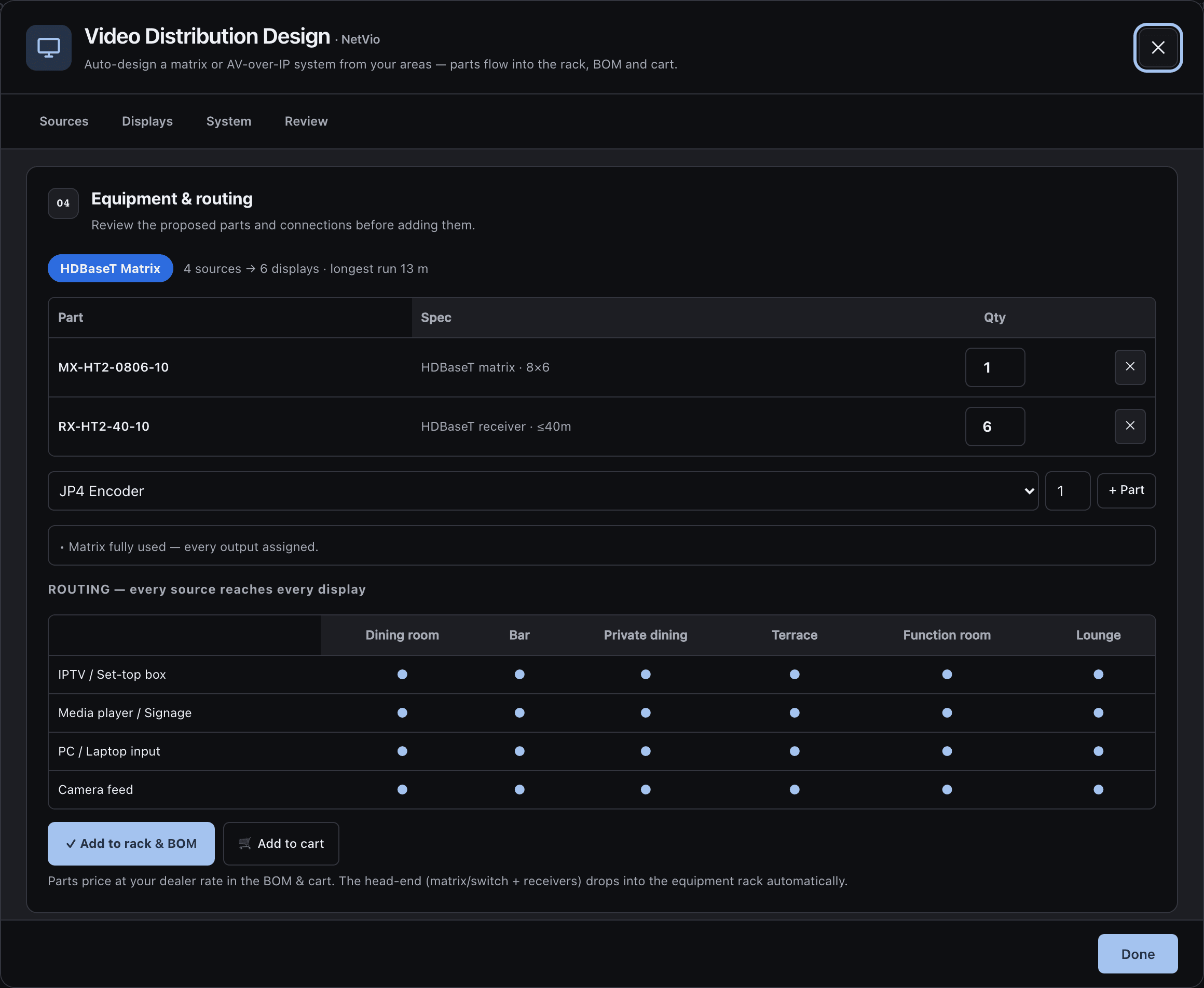
Auto-design starts with the smallest HDBaseT matrix that fits: 4×4, 8×6 or 8×8. More than eight sources or screens, or a run over 70 m, and it switches to AV over IP.
Auto-design
Video, 04
List the sources and give each area a TV, LED screen or projector. Auto-design sizes a Netvio system: the smallest HDBaseT matrix that fits, with a receiver rated for each measured run, or AV over IP when the job outgrows a matrix.
what it answers, 04
Auto-design starts with the smallest HDBaseT matrix that fits: 4×4, 8×6 or 8×8. More than eight sources or screens, or a run over 70 m, and it switches to AV over IP.
Auto-design
The run to each screen is measured on your plan from the head-end, and each display gets a receiver rated for 40 m or 70 m to match.
Displays
Every device in the path must support the same HDCP version, 2.2 or 2.3 for 4K premium content. The Netvio matrices, receivers and JP4 devices the design picks support both, and the design checks each path.
HDCP
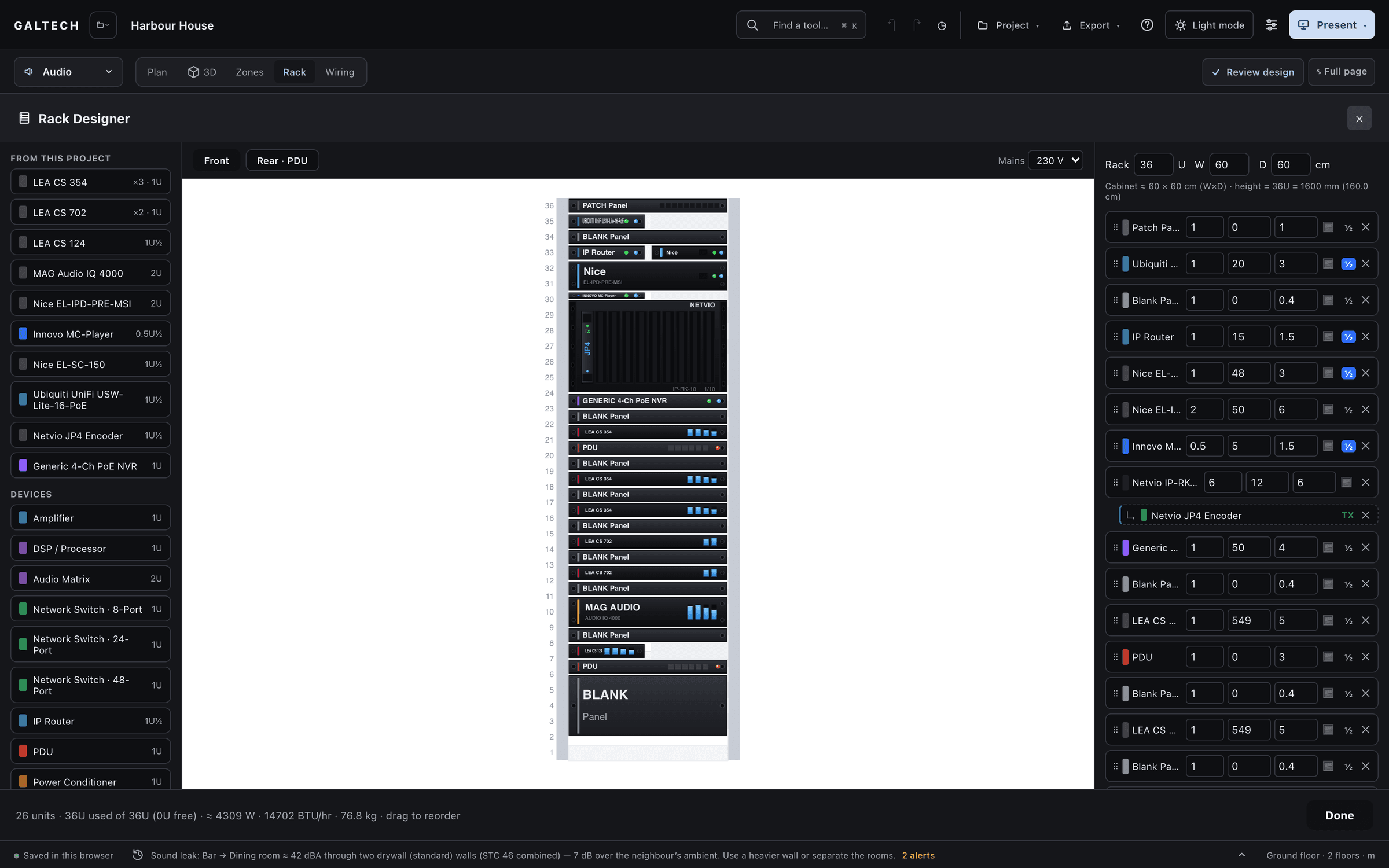
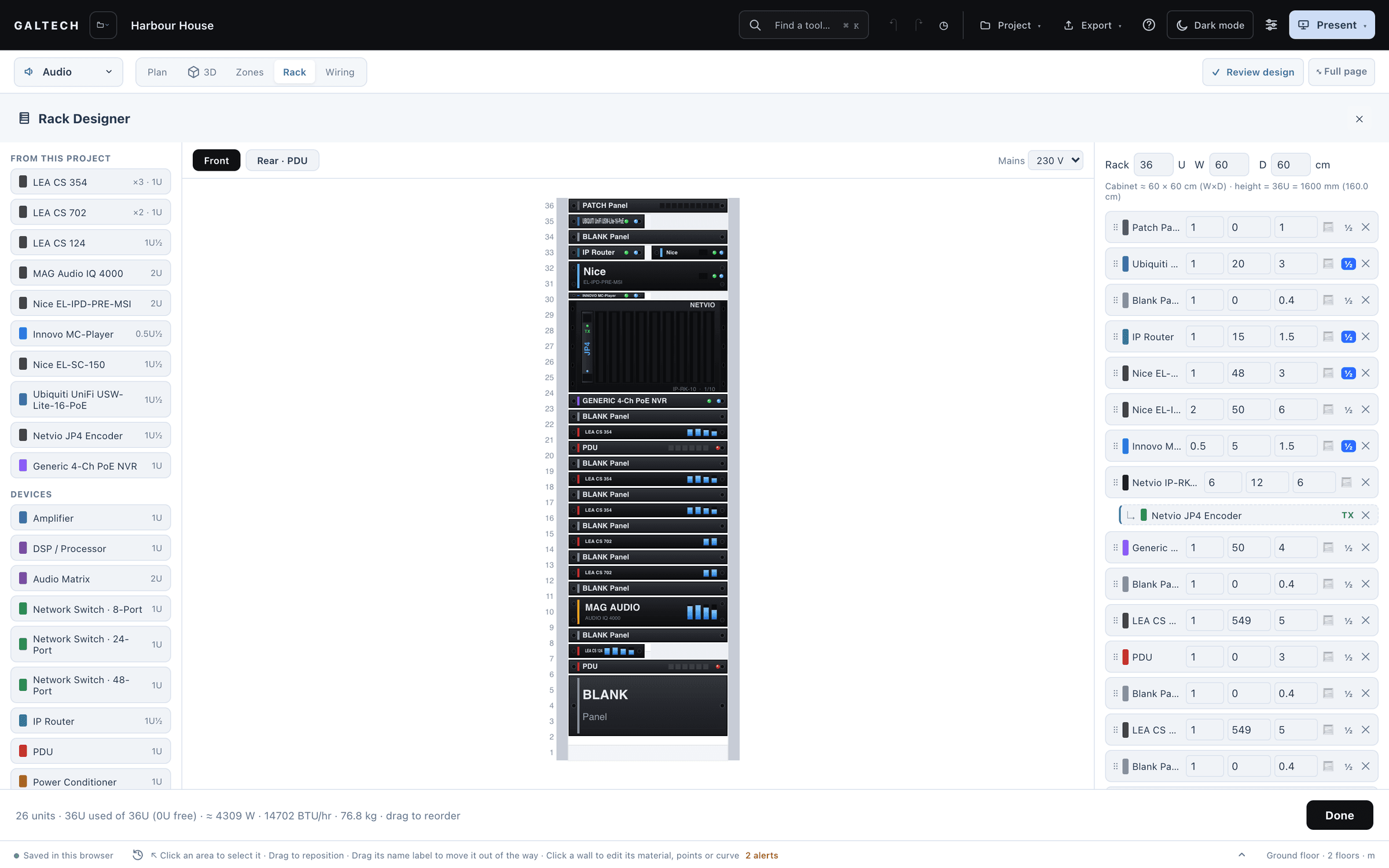
The head-end: the matrix, or the switch and the JP4 cage. Receivers mount behind their screens, so they stay out of the rack but list in the bill of materials.
Rack and BOM
how it works, 05
The steps of the tool’s video guide, and the video part of lesson 04.
Video distribution is designed in a dialog: Video, Library, then Distribution design. The areas and the cable distances come from the plan.
Start from the residential or commercial preset, or add your own: an Apple TV, satellite, a media server, each with a quantity, a location and its connections.
One display per area to begin with. Choose TV, LED screen or projector, how many screens and the resolution, or untick an area for an audio-only zone.
Auto-design picks the matrix or the AV-over-IP set and the exact parts, with a routing grid in which every source reaches every screen. Review shows what it chose and why.
Add to rack and BOM puts the head-end in the rack. Build the single-line diagram from the project and every path is drawn end to end, source to screen.
matrix or av over ip
For 4K premium content every device in the path needs HDCP 2.2 or 2.3. An HDCP 1.4 receiver in the chain is enough for a black screen.
Give each source the lowest common capability of the screens it feeds: copy a display, use a fixed profile or set a custom one. A sports bar with twelve screens might fix every encoder at 1080p60 stereo, so switching is instant.
the analysis
Video is sized by rules from the run lengths and the counts, then checked along each path. HDCP and EDID are finally set on site.
what you hand over, 04
Its own branded PDF: the architecture, the device schedule and the connections. It joins the combined report too.
For: Client and installer
Every screen with its type, so the installer knows a projector from a TV or an LED wall, and the full HDMI and Cat6 path in the connection schedule.
For: Installer
Every source, the matrix or the encoders and decoders, the receivers and the screens, wired end to end with their real rear panels.
For: Installer
The installer pack gives every AV-over-IP device a suggested IP address, VLAN and role, ready for the site IT.
For: Office
Dealers can send the parts to their portal cart at their dealer price, from the designer or from the bill of materials.
in the catalogue
17
Netvio HDBaseT and HDMI matrices, HDBaseT receivers for 40 m and 70 m runs, JP4 encoders and decoders, splitters, the IP-RK-10 cage, the JP4 card and controller, and the AV-over-IP PoE switches.
22
The video parts, plus Netvio’s Dante audio interfaces.
Counts are the tool’s built-in catalogue in v2.0.0. Brand and product names in the catalogue belong to their owners. A product in the catalogue does not mean a partnership.
honest limits
Confirm the supported resolutions and formats against each device’s specification before you issue the video schedule.
The design records the path and the profile. Both are set and tested at commissioning.
Other makers’ units can be added to the library as custom devices on accounts with their own products switched on.
faq
When a matrix cannot fit: more than eight sources or screens, or a run longer than 70 m. Up to that, the smallest HDBaseT matrix that fits wins.
On your plan, from the head-end, which is the rack area you choose or a central point, to each display. Type a length on any display in the single-line diagram to override it.
No. TV, LED screen or projector carries through to the schedule, the report and the wiring so the installer sees what goes where. The distribution hardware is sized the same either way.
Dealers can. The parts go to the cart in the dealer portal at the dealer price, and the portal prices the order again when it is submitted.
Order onlinekeep going
Sources, screens and runs on the same plan as the audio, Wi-Fi, CCTV and control.
15-day trial for approved companies. No card, nothing to cancel.