Audio
Set the target level and size the speaker count
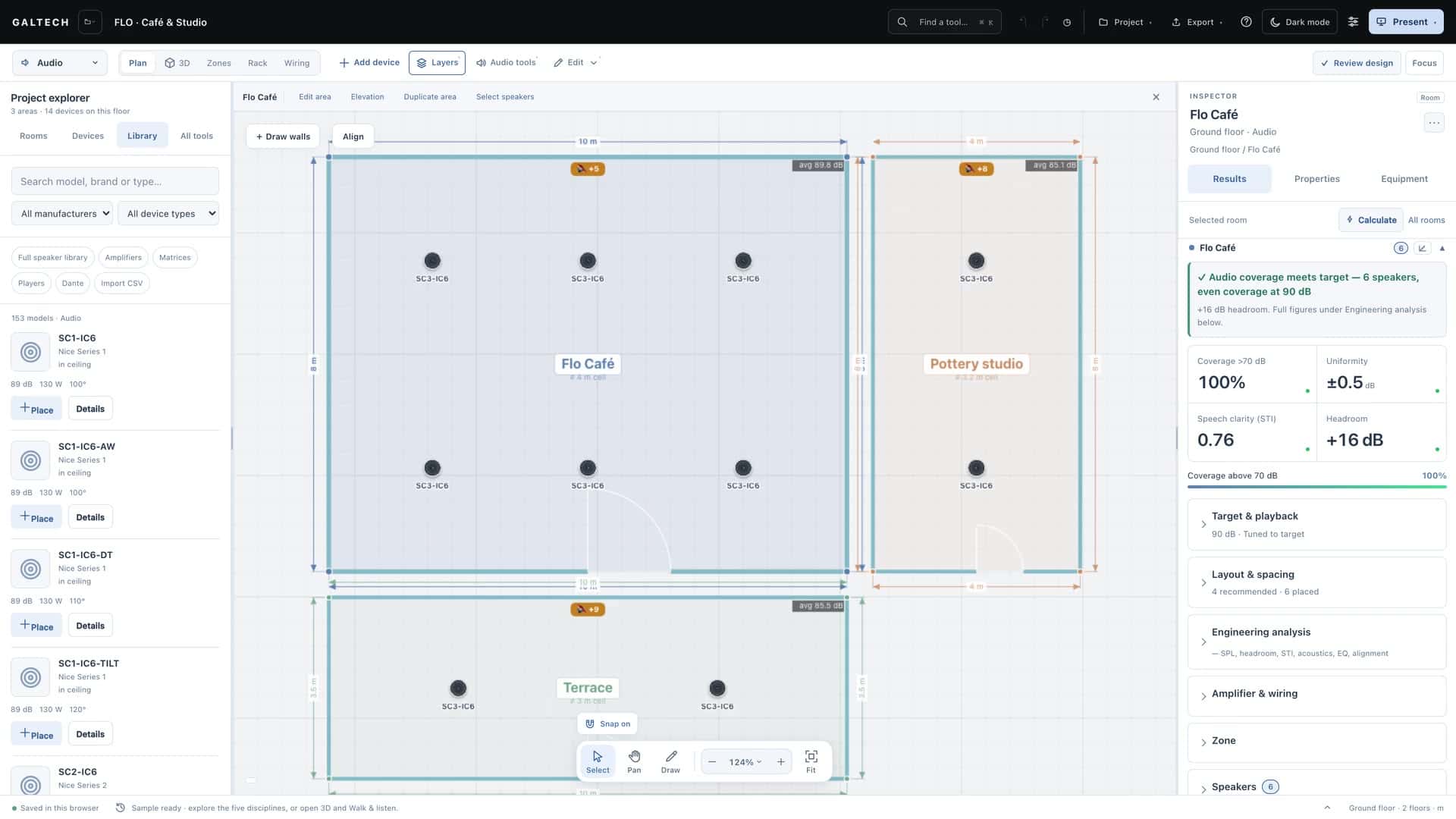
Set each area’s target level first, read the headroom against it, and let the count advisor size how many speakers the room needs and how evenly to space them.
On this page
Every area has a target level, in decibels. Set it before you place speakers: the speaker count, the tuned levels and the pass or fail verdict all follow from it.
Set the target
Open the area’s Results → Target & playback. As a guide from the tool’s own lessons:
| Venue | Target |
|---|---|
| A lively bar | 90 dB |
| A restaurant where people talk | 85 dB |
| Background music in a shop or a lobby | 70 to 75 dB |
When you add an area with a venue preset, the target is filled in for you as a suggestion, and you can still change it.
The venue presets
Each preset sets a starting target, a reverberation time, the background noise, the speaker density and a suggested speaker. These are the tool’s own values:
| Venue preset | Target | RT60 | Noise floor | Density | Suggested speaker |
|---|---|---|---|---|---|
| Living room | 82 dB | 0.5 s | 35 dBA | Even | Nice SC2-IC6with a Nice HRSIW8 subwoofer |
| Dining room | 80 dB | 0.5 s | 40 dBA | Even | Nice SC2-IC6 |
| Bedroom | 78 dB | 0.4 s | 30 dBA | Economy | Garvan Acoustic KR207 |
| Kitchen | 84 dB | 0.6 s | 50 dBA | Even | Nice SC2-IC6 |
| Bathroom | 80 dB | 0.7 s | 40 dBA | Economy | Garvan Acoustic KR16M |
| Play room | 84 dB | 0.5 s | 45 dBA | Even | Nice SC1-IC6 |
| Meeting room | 76 dB | 0.6 s | 42 dBA | Even | Nice SC2-IC6 |
| Coffee shop | 85 dB | 0.6 s | 62 dBA | Even | Nice SC1-IC6 |
| Restaurant | 88 dB | 0.7 s | 68 dBA | Even | Nice SC2-IC6 |
| Sports bar | 92 dB | 0.8 s | 74 dBA | Even | Nice SC3-IC8with a Nice HRSi-12 subwoofer |
| Gym / fitness | 98 dB | 1.2 s | 78 dBA | Even | Mag Audio STING 8-74with a Mag Audio SUB 15 subwoofer |
| Small club | 102 dB | 0.9 s | 80 dBA | Even | Mag Audio STING 8-114with a Mag Audio SUB 18 subwoofer |
| Outdoor patio | 88 dB | Open air | 60 dBA | Economy | Garvan Acoustic SN120 |
| Garden | 88 dB | Open air | 55 dBA | Even | Garvan Acoustic SN120with a Nice SC-BT-10 subwoofer |
The noise floor matters as much as the target: it is what the system has to rise above, and it lowers the speech intelligibility score in a loud venue. See Set room acoustics and RT60.
Read the headroom
Once speakers are placed, the area’s results show three figures against the target:
- the continuous level the area can hold with every speaker at full drive,
- the peak capability, which adds the speakers’ peak allowance as far as the amplifier can deliver it,
- the headroom: green is comfortable, amber is tight and red is underpowered.
An area that cannot hold its target continuously is short, whatever its peak figure says. Good headroom means peaks reach 6 dB over the target.
Size the count with the advisor
Layout & spacing, in the Results, is the count advisor. It compares what you have placed with what the room needs to reach the target at ear level, from the area, the ceiling height and the coverage angle of the model you chose.
- Place one speaker of the model you want. The advisor always works with the model already in the area; the library selection only decides for an empty area.
- Read the recommended grid, for example 3 × 2, and whether you have placed enough. How this count was reached shows the arithmetic, which helps when a client asks why six and not four.
- Choose Apply layout to place the recommended grid in one step, or Optimise spacing to move what you have already placed into the most even arrangement.
- Move speakers around doors, lights and beams as the site needs. Both buttons are starting points.
The count is sized for even direct coverage at the mount in use. A surface model mounted in the ceiling is treated as a down-firing speaker; a wide flat panel is spaced from its own coverage. Subwoofers are never counted as speakers, so the verdict reads “2 speakers + 1 sub”.
Even or economy density
Each area has a density chip beside its coverage chip:
- Even, the default, places speakers edge to edge, where the coverage circles at their −6 dB edge just touch. It is the smooth pattern speech needs, with fewer dips in level.
- Economy stretches the spacing about 40% further. It is accepted practice for background music, and gives the fewest speakers that still cover the area, at lower cost and with a little more variation.
The count comes from the model’s dispersion, the ceiling height and the target, so loud venues stay dense. The grid is sized for a listening plane at least 1 m below the ceiling, and speakers are never packed closer than about 2 m. Switching density places the speakers again at once, so you can compare cost and evenness.
Full or ambient
A scene chip on each area switches between its full design level and a quiet ambient level, about 12 dB lower. The speakers do not move; only the level they are judged against does. Design a sports bar or a café at full, then check that it is not overkill when quiet.